• Activate your Prestige Account to unlock Prestige status across the entire Hytale Hub Network.

Launcher doesn't download properly

Joined
Jan 14, 2026
Messages
3
Likes
1
When I try and download the launcher using the installer everything seems to download properly, but when it finishes it directly opens the file explorer instead of launcing the app and cannot find the app. when I manually go through my files and try and launch it I get a windows error saying it cant run on this computer. I have up to date windows 11 so I am not sure what the issue could be! if anybody has any insight it would be very appreciated!
 

rgDylan

Helper
Staff member
Helper
Joined
Jan 15, 2026
Messages
15
Likes
1
Hi @big_thodin,

A quick check: did you download the official launcher from hytale.com / accounts.hytale.com? (There are multiple builds.)

The Windows error “can’t run on this PC” is most commonly one of these:
1) Wrong CPU/installer build – please check Settings → System → About → System type.

  • If you’re on a normal PC, you want Windows x64.
  • If you’re on an ARM device (some Surface/laptops), you’ll need ARM64.

2) Windows blocked the file – right-click the installer → Properties → check Unblock (if present), then run again.

3) Install location / shortcut not created – try running the installer as Administrator, then check:

  • C:\Program Files\
  • C:\Users\<you>\AppData\Local\

4) Windows “S mode” (rare, but possible) – it blocks non-Store apps: Settings → System → Activation.

If you can, send (1) your System type, (2) the exact launcher file name you downloaded, and (3) a screenshot of the error — we can pinpoint it quickly.
 
Joined
Jan 14, 2026
Messages
3
Likes
1
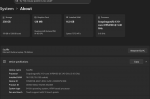
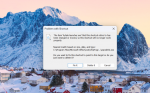
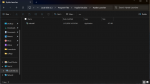
Hi, i've attatched the system specs below, its a surface laptop. the download im installing is directly off the hytale website, my friend had sent the same place they got it from. and then theres also the chain of error messages that it leads me down. then just apicture showing that the launcher isn't where its supposed to be
 

Attachments

Joined
Jan 14, 2026
Messages
3
Likes
1
update

User @cheesy--Boi on reddit found a solution that worked for me so im putting it here for anybody else that may be having the same issue
 

Attachments

dr_snoozy

New member
Joined
Jan 26, 2026
Messages
1
Likes
0
update

User @cheesy--Boi on reddit found a solution that worked for me so im putting it here for anybody else that may be having the same issue
THANK YOU SO MUCHHHHH
 
Top